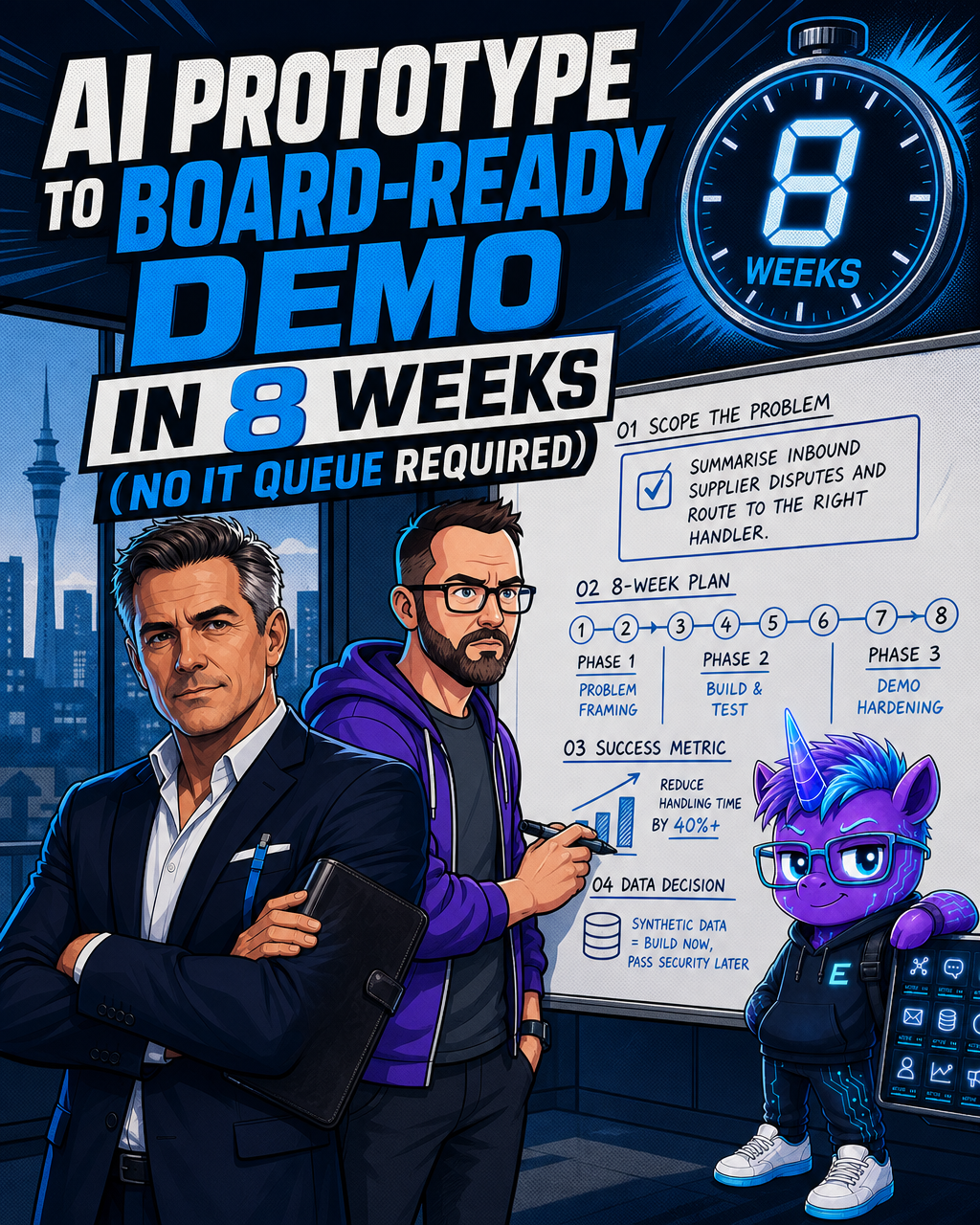
AI Prototype to Board-Ready Demo in 8 Weeks (No IT Queue Required)
The clock starts before procurement does
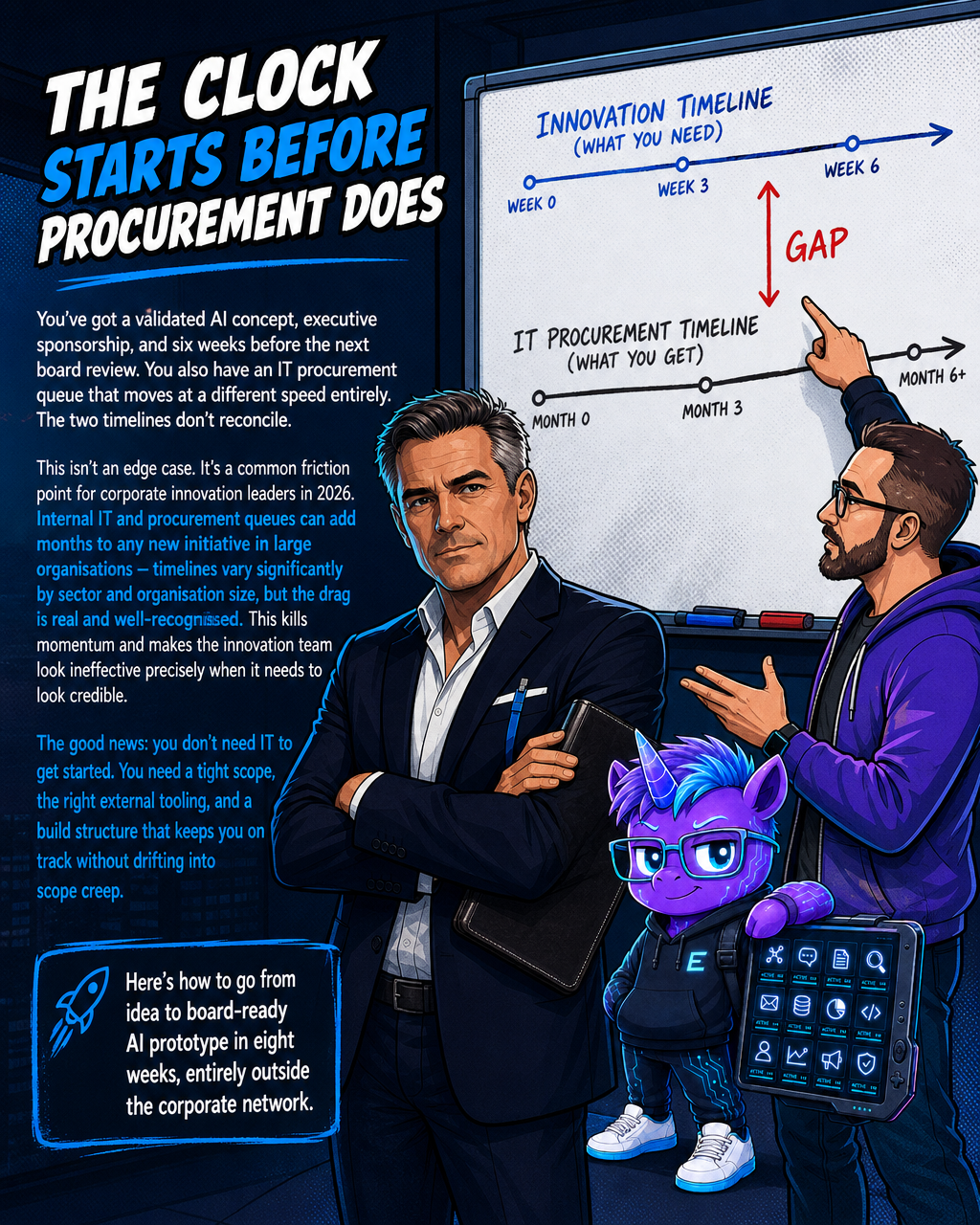
You've got a validated AI concept, executive sponsorship, and six weeks before the next board review. You also have an IT procurement queue that moves at a different speed entirely. The two timelines don't reconcile.
This isn't an edge case. It's a common friction point for corporate innovation leaders in 2026. Internal IT and procurement queues can add months to any new initiative in large organisations — timelines vary significantly by sector and organisation size, but the drag is real and well-recognised. This kills momentum and makes the innovation team look ineffective precisely when it needs to look credible.
The good news: you don't need IT to get started. You need a tight scope, the right external tooling, and a build structure that keeps you on track without drifting into scope creep.
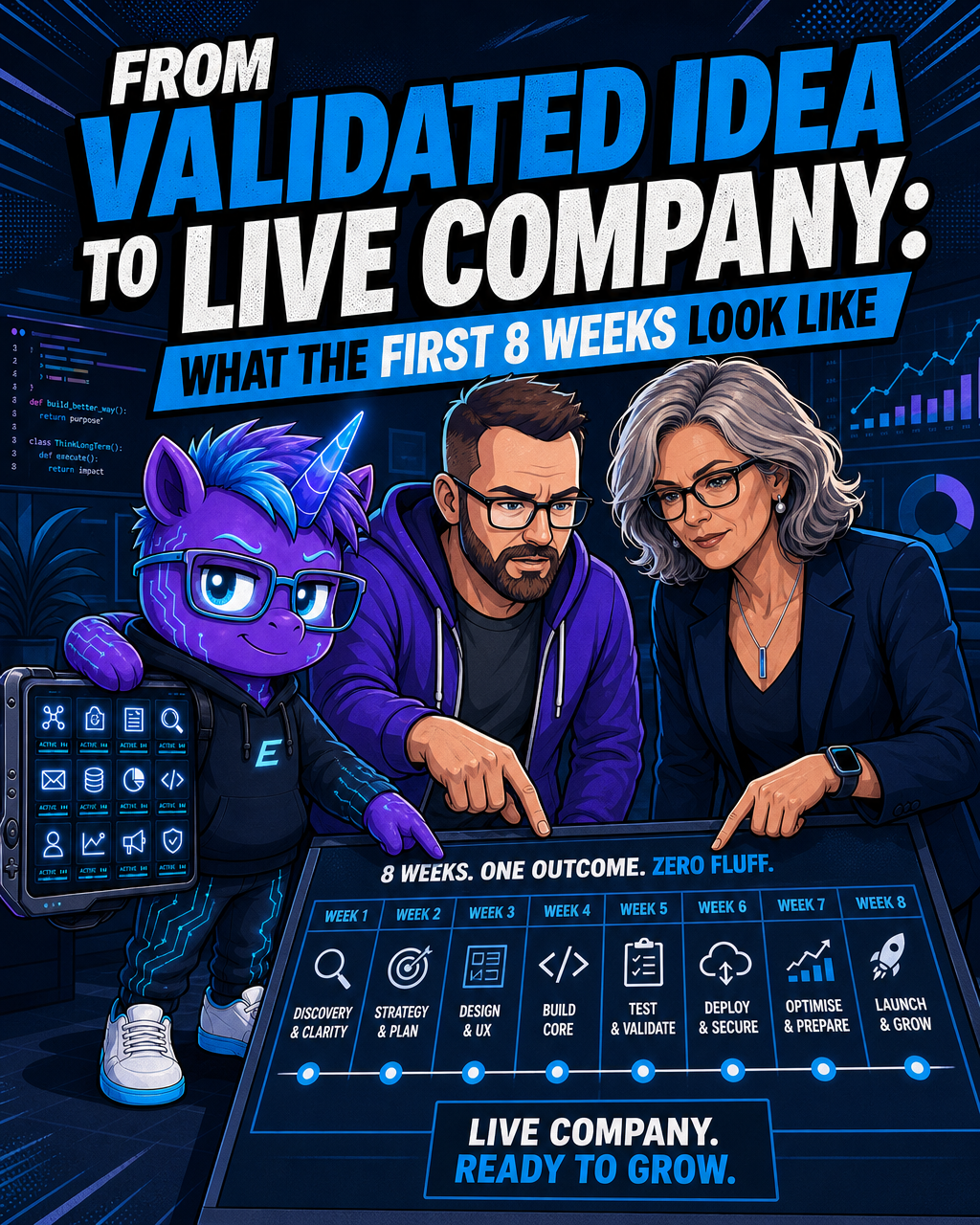
Here's how to go from idea to board-ready AI prototype in eight weeks, entirely outside the corporate network.
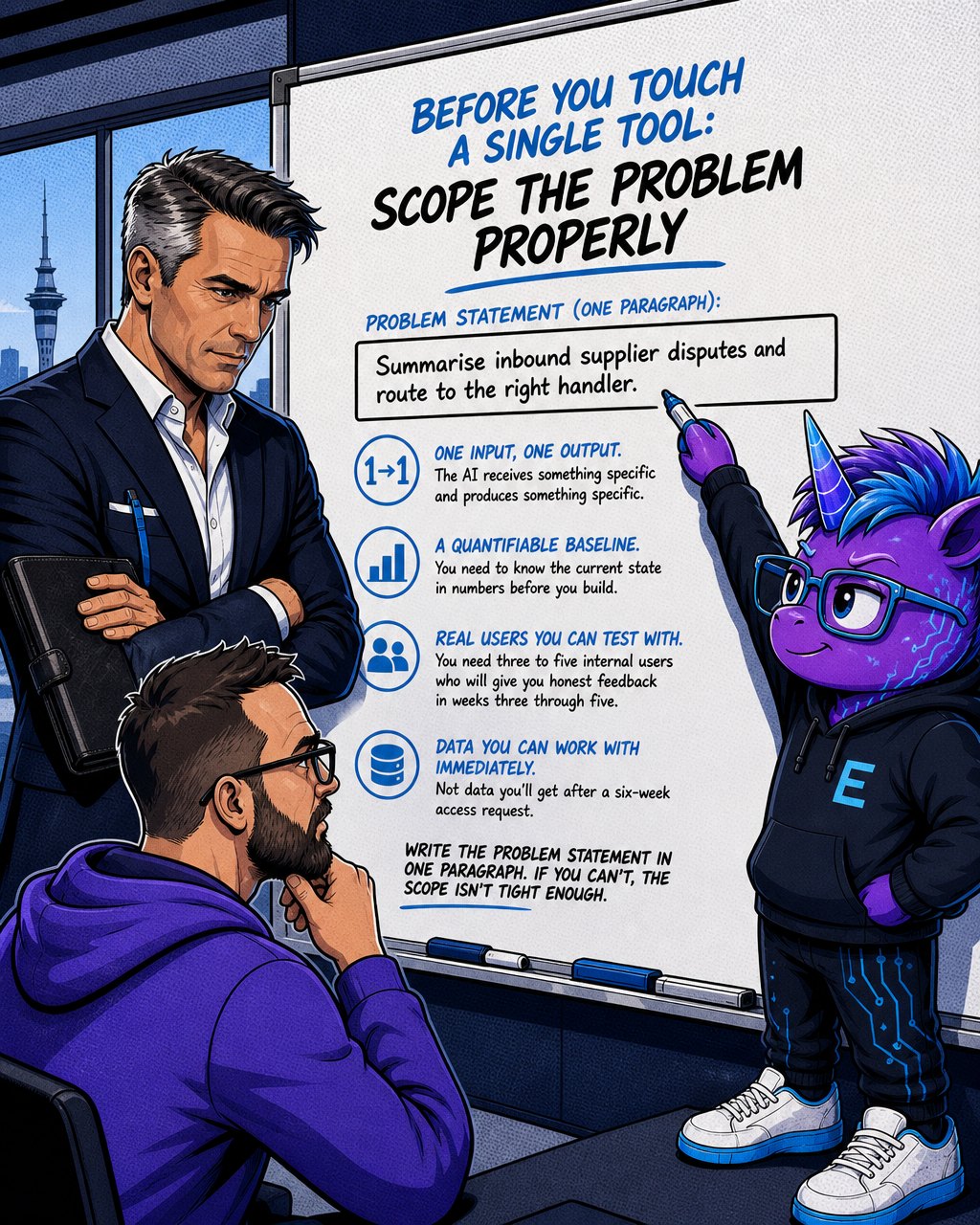
Before you touch a single tool: scope the problem properly
The most common reason eight-week AI builds fail isn't technical. It's scope.
Teams start with "let's explore what AI can do for our claims processing" and end up building five things badly instead of one thing well. Eight weeks is enough time to solve one clearly defined business problem and demonstrate it convincingly to a board. It is not enough time to prototype a capability platform.
A workable problem statement has four properties:
- One input, one output. The AI receives something specific and produces something specific. "Summarise inbound supplier disputes and route to the right handler" is workable. "Improve supplier relationship management" is not.
- A quantifiable baseline. You need to know the current state in numbers before you build. How long does the manual process take today? What's the error rate? What does it cost per instance? Without a baseline, you have no success metric, and without a success metric, you have no board narrative.
- Real users you can test with. You need three to five internal users who will give you honest feedback in weeks three through five. If you can't identify them on day one, the scope is wrong.
- Data you can work with immediately. Not data you'll get after a six-week access request. We'll come back to how to handle this.
Write the problem statement in one paragraph. If you can't, the scope isn't tight enough.
How to build entirely outside corporate IT
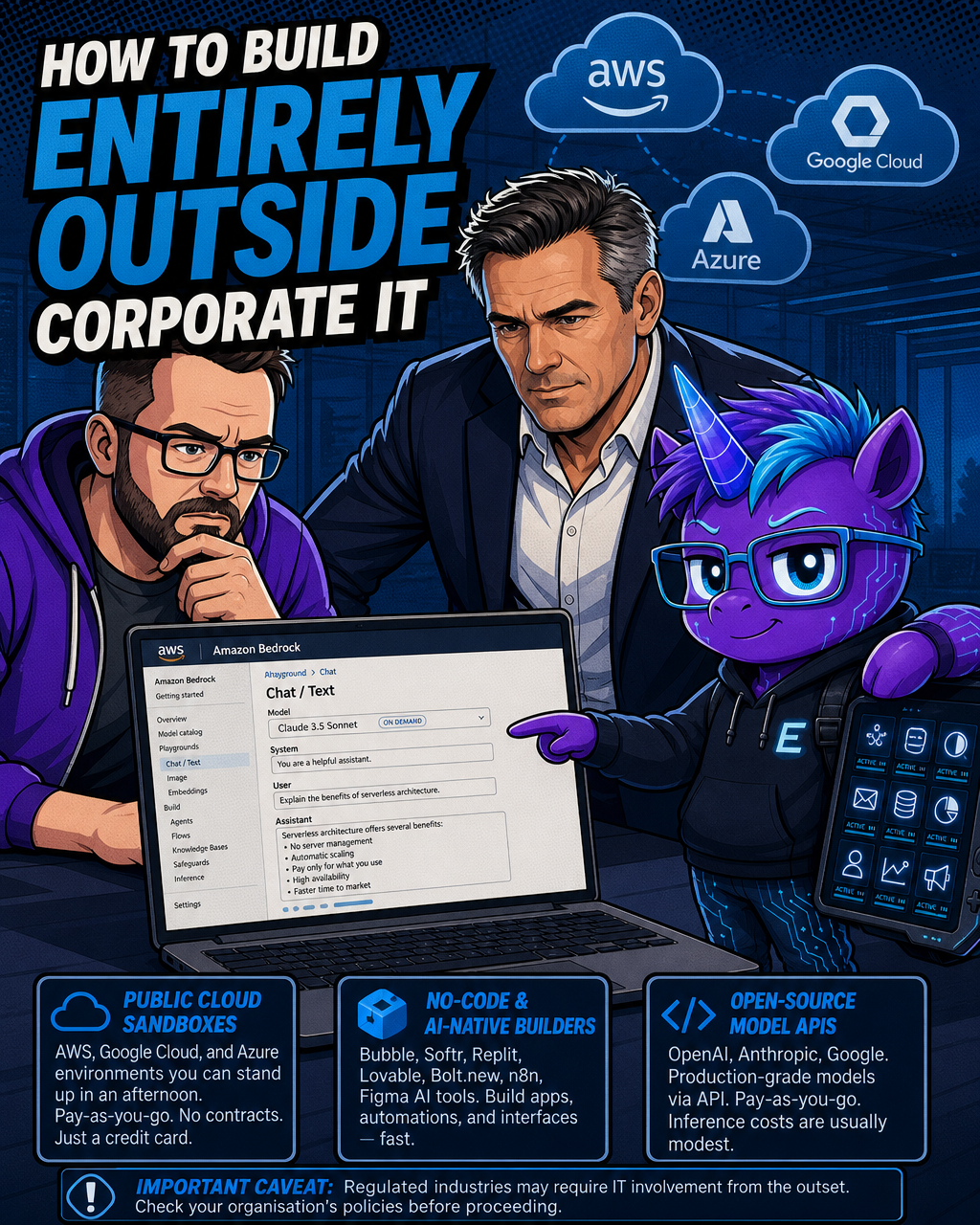
Public cloud infrastructure, no-code AI builders, and open-source model APIs give you everything you need to build a credible AI prototype without touching the corporate network or filing a single procurement request.
Important caveat for regulated industries: Building outside corporate IT is legitimate and practical for prototyping in many organisations — but not all. If you work in financial services, healthcare, government, or any environment with strict information security policies or regulatory obligations, your organisation may have constraints that require IT involvement from the outset, regardless of whether real data is used. Check your organisation's specific policies before proceeding.
Public cloud sandboxes from AWS, Google Cloud, and Azure all offer environments that can be stood up in an afternoon. Google Cloud's Vertex AI and AWS Bedrock both provide access to frontier language models via API on pay-as-you-go pricing with no upfront commitment, accessible via standard account credits. These environments are isolated, externally hosted, and require only a credit card, not a vendor contract.
No-code and AI-native builders cover a wide range of interaction models. Tools like Bubble and Softr offer visual no-code builders for functional multi-screen applications. Replit provides AI-assisted coding for developers. Newer AI-native builders such as Lovable and Bolt.new generate applications primarily from natural language prompts. For agent-style automation, n8n offers both cloud-hosted and self-hosted options, with strong workflow orchestration at low cost. Figma's AI prototyping tools sit at the top of the stack for interface work — verify the current product name with Figma directly, as this space is evolving quickly.
Open-source model APIs give you access to capable, production-grade models without an enterprise licensing conversation. OpenAI, Anthropic, and Google all offer pay-as-you-go API access that a corporate credit card can cover. For a focused eight-week prototype, inference costs are often modest, though they will vary based on usage volume and model selection.
The total external tooling cost for a focused prototype will vary based on team size, tool selection, and usage intensity — many teams spend well under a few thousand dollars, but this is not guaranteed. The constraint isn't budget. It's discipline.
One important note: building outside the corporate network is legitimate and practical for prototyping. It does not mean ignoring governance. You're creating a path that makes it easier to pass security review later, not harder. That's where data handling comes in.
The three-phase structure that keeps you on track
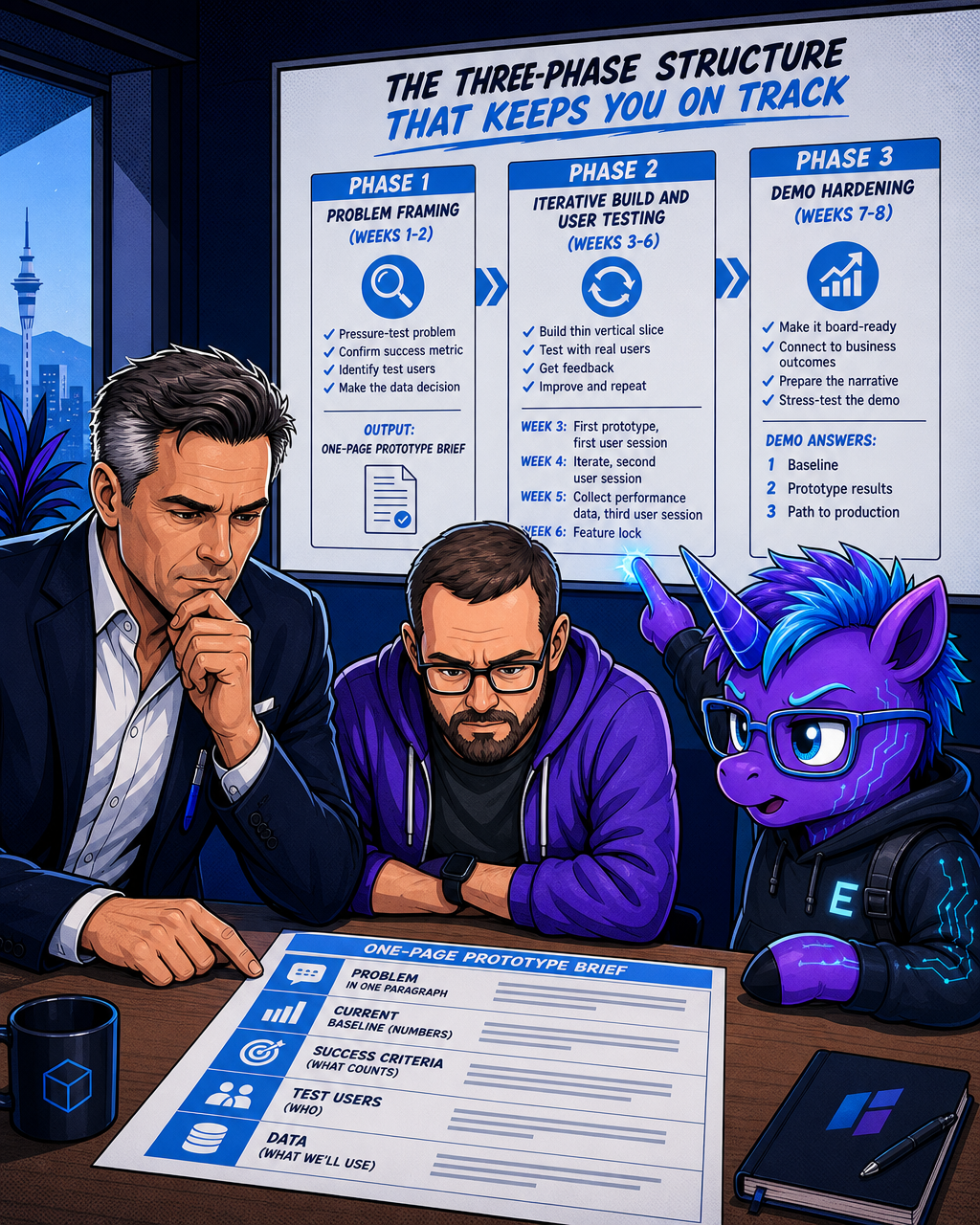
Phase 1: Problem framing (weeks 1-2)
Weeks one and two are not build weeks. They are decision weeks.
Your job in phase one is to pressure-test the problem statement, confirm your success metric, identify your test users, and make the data decision. Nothing gets built yet, and that's correct.
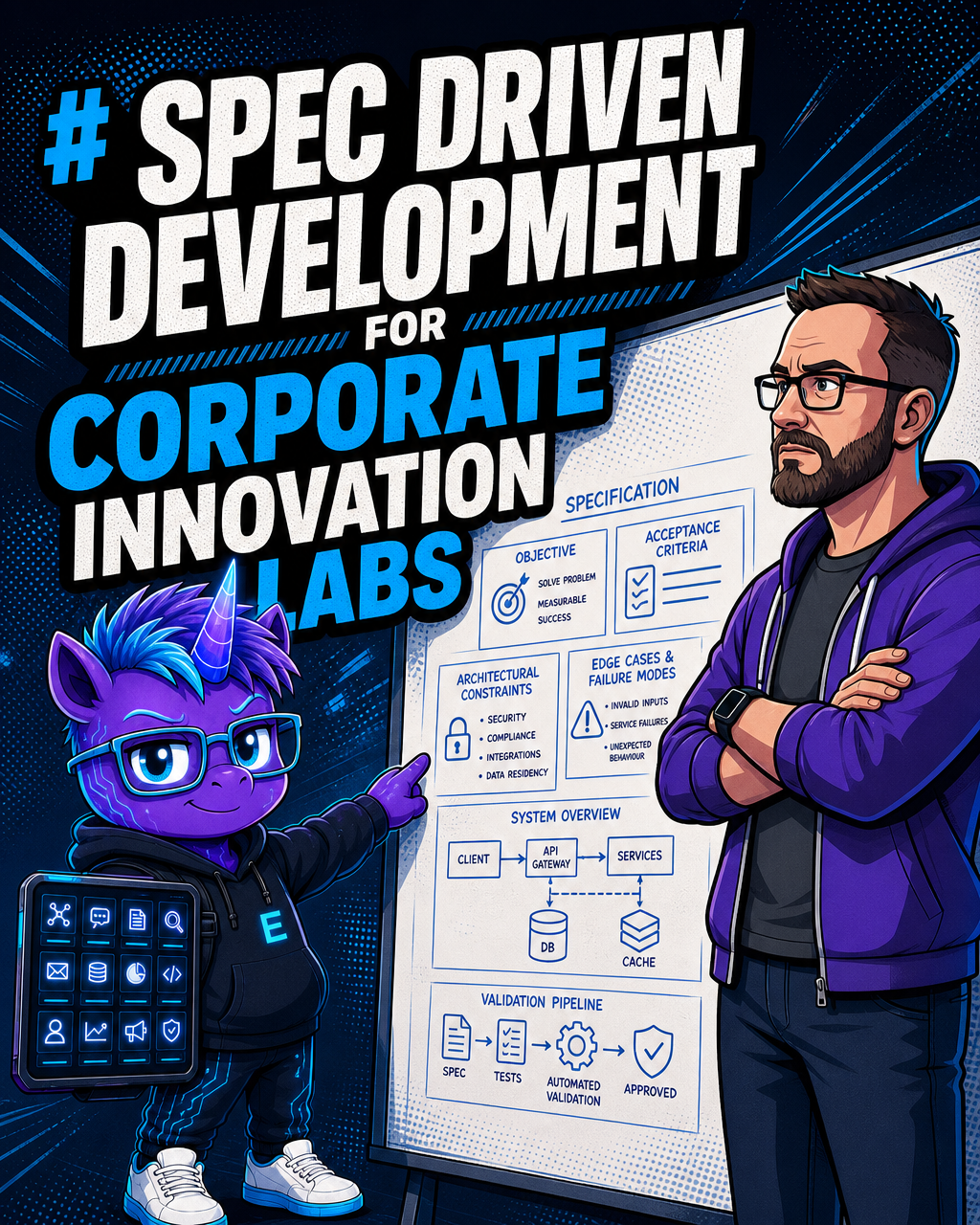
The output of phase one is a one-page prototype brief. It covers: the problem in one paragraph, the current baseline in numbers, what the prototype must demonstrate to count as successful, who the test users are, and what data you'll use. This brief gets signed off by your executive sponsor before week three starts.
Lock the success criteria before any building begins. This matters more than it sounds. The default failure mode for corporate AI prototypes is exactly this: a team builds something, runs a demo, hears applause, and then watches the project drift for months because nobody defined what "good enough" actually meant. Success criteria that shift mid-build become meaningless by the time the gate review lands.
Phase 2: Iterative build and user testing (weeks 3-6)
Weeks three through six are your build sprint. The rhythm is simple: build a thin vertical slice, put it in front of a real user, get feedback, improve it, repeat.
Don't build the full feature set first. Build the single most important interaction the board needs to see, get it working, and test it with a real user by the end of week three. Everything after that is refinement and extension.
Week three: first working prototype, first user session. Week four: iteration based on feedback, second user session. Week five: performance data collection against your baseline metric, third user session. Week six: feature lock. Nothing new gets added after week six.
The discipline here is resisting the pull toward "while we're at it." Every additional feature you add in week five is a feature you can't harden in weeks seven and eight.
Phase 3: Demo hardening (weeks 7-8)
Weeks seven and eight exist for one purpose: making the prototype board-ready.
This is not about polishing the interface. It's about building the narrative that connects every feature you've built to a quantified business outcome. Board members don't evaluate demos on technical elegance. They evaluate them on whether the thing pays for itself and whether the risk is manageable.
Your demo script should answer three questions before the board asks them. The following are illustrative examples of the kind of language that works — replace the bracketed placeholders with your actual tested results:
- What was the baseline? ("Today, this process takes [X hours] per claim and costs approximately $[Y] per case.")
- What does the prototype demonstrate? ("In our testing with [N] internal users over [X] weeks, the AI draft reduced average handling time from [X hours] to [Y minutes].")
- What's the path to production? ("Security review, data access provisioning, and a six-week integration sprint with IT.")
Number three is important. The board will ask what production looks like. Having a credible answer that includes IT, not excludes them, positions you as someone who built something real, not someone who went rogue.
Also use weeks seven and eight to stress-test the demo itself. Run it fifteen times. Break it deliberately. Know every failure mode. A demo that fails in front of a board is worse than no demo.
The data problem: solve it on day one, not day forty
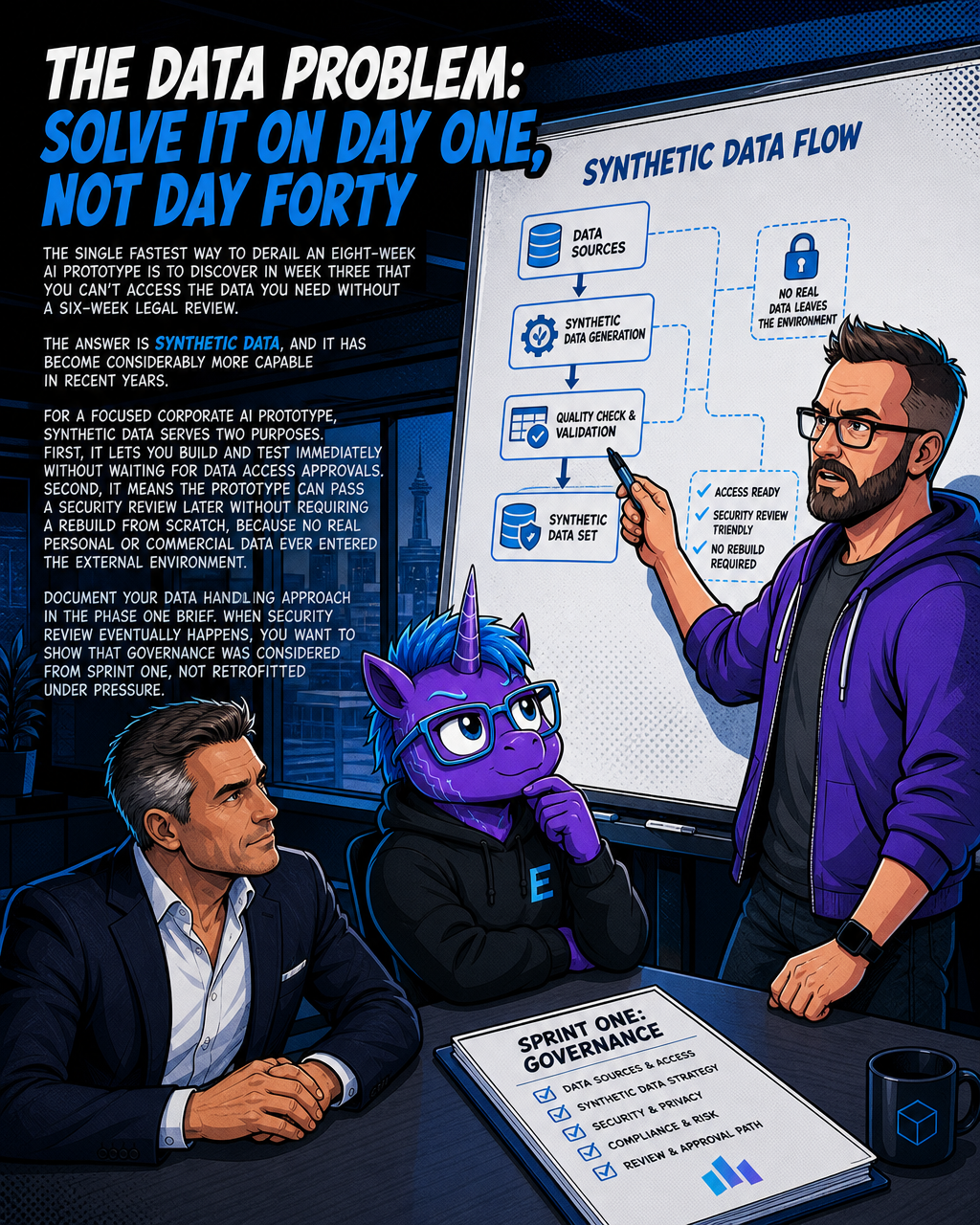
The single fastest way to derail an eight-week AI prototype is to discover in week three that you can't access the data you need without a six-week legal review.
The answer is synthetic data, and it has become considerably more capable in recent years.
Synthetic data is statistically manufactured to mirror the properties of real datasets without containing identifiable information from actual records. It's not fake data in the pejorative sense. It is designed to preserve the distributions, relationships, and edge cases of the real data while substantially reducing privacy exposure. That said, synthetic data quality and privacy properties depend on the generation method used — some generation approaches can still carry residual re-identification risks in certain conditions, particularly with small source datasets, and your output should still be reviewed against your organisation's applicable data governance requirements.
Industry adoption of synthetic data has been growing: banks have increasingly used synthetic financial transaction data to train fraud detection models, and healthcare teams have adopted synthetic patient record sets for clinical AI development, according to industry reports. The approach is gaining mainstream traction, though penetration varies by sector and organisation.
For a focused corporate AI prototype, synthetic data serves two purposes. First, it lets you build and test immediately without waiting for data access approvals. Second, it means the prototype can pass a security review later without requiring a rebuild from scratch, because no real personal or commercial data ever entered the external environment.
For structured data (transactions, case records, customer interactions), tools like Gretel, MOSTLY AI, and YData generate realistic synthetic datasets quickly. For less structured scenarios, you can work with manually anonymised examples where the identifying details have been replaced with realistic placeholders.
Document your data handling approach in the phase one brief. When security review eventually happens, you want to show that governance was considered from sprint one, not retrofitted under pressure.
What board-ready actually means
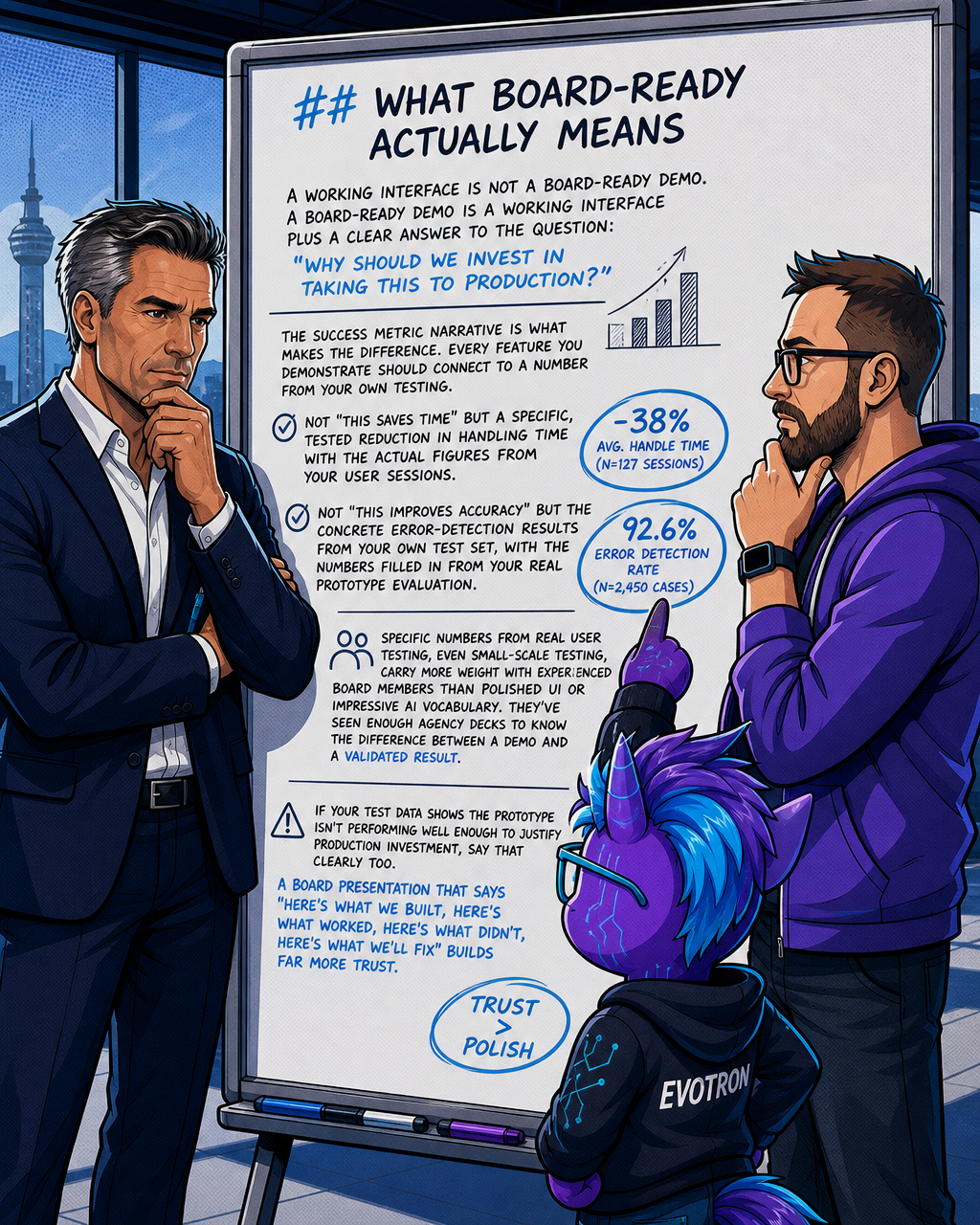
A working interface is not a board-ready demo. A board-ready demo is a working interface plus a clear answer to the question: "Why should we invest in taking this to production?"
The success metric narrative is what makes the difference. Every feature you demonstrate should connect to a number from your own testing. Not "this saves time" but a specific, tested reduction in handling time with the actual figures from your user sessions. Not "this improves accuracy" but the concrete error-detection results from your own test set, with the numbers filled in from your real prototype evaluation.
Specific numbers from real user testing, even small-scale testing, carry more weight with experienced board members than polished UI or impressive AI vocabulary. They've seen enough agency decks to know the difference between a demo and a validated result.
If your test data shows the prototype isn't performing well enough to justify production investment, say that clearly too. A board presentation that says "here's what we built, here's wha
Related reading

Evotron Studio
We build and run our own AI-amplified ventures — and bring the same capability into yours.
We build and run our own AI-amplified ventures — and bring the same capability into yours.
Learn more about Evotron Studio and get started today.
Visit Evotron Studio